AdBlock Plus with Korean Filters
Many people use AdBlock Plus (ABP) to block ads. However, since ABP is optimized for English advertising, it is recommended to use Korean ABP filters for the desired effect with Korean web pages.
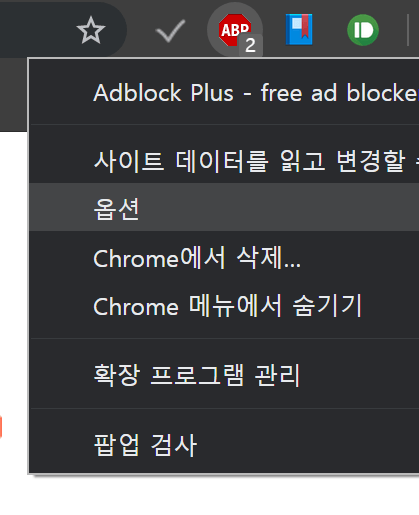
Open ABP application on your web browser, and go to option page.
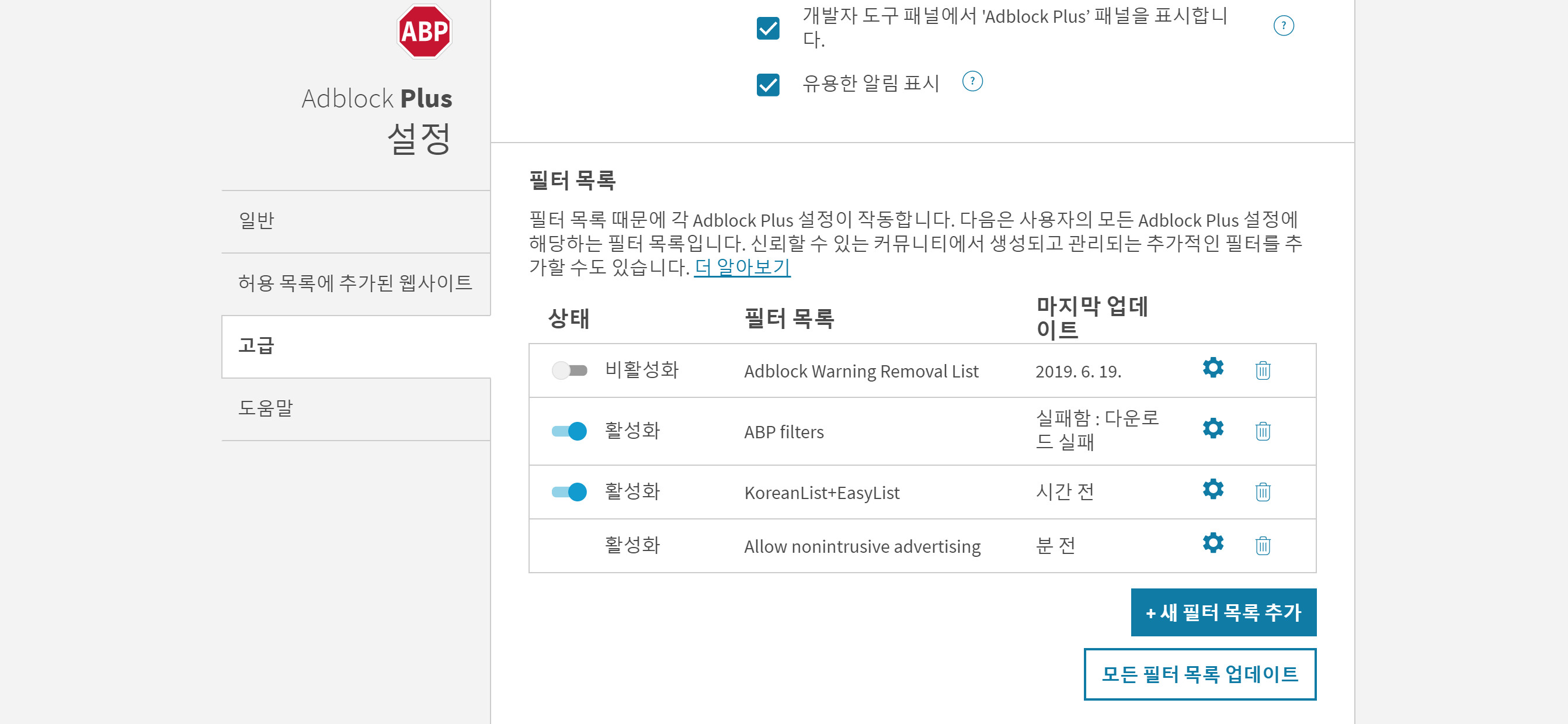
In the ABP option page, get to the advanced tab and select "add new filter list"
Enter the following address in the new filter list :
Based on this writing, the filter is updated to 30 May 19. After adding filters, pressing the Update Filter button will be perfect.
Comments
댓글
GitHub 로그인 후 댓글을 남길 수 있습니다.
댓글을 불러오는 중입니다.
댓글을 남기려면 GitHub 로그인이 필요합니다.
GitHub로 로그인 다른 GitHub 계정으로 로그인